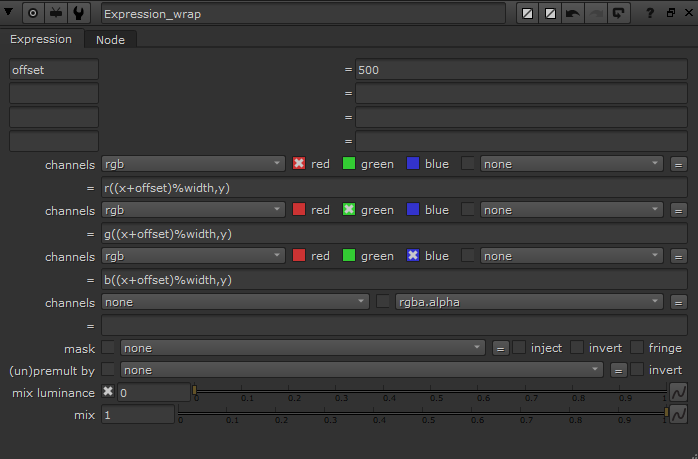
Nuke Expression Node
Offset Image
Use the expression node to offset pixels, for instance to make sure an image is tileable
In each channel R/G/B
r((x+offset)%width, y)
g((x+offset)%width, y)
b((x+offset)%width, y)
rwould get the red value of that pixel, equivilant tor(x, y)- To get a different pixel
r(50,245) offsetrefers to the custom variable set at the top of the node